Quick Summary:
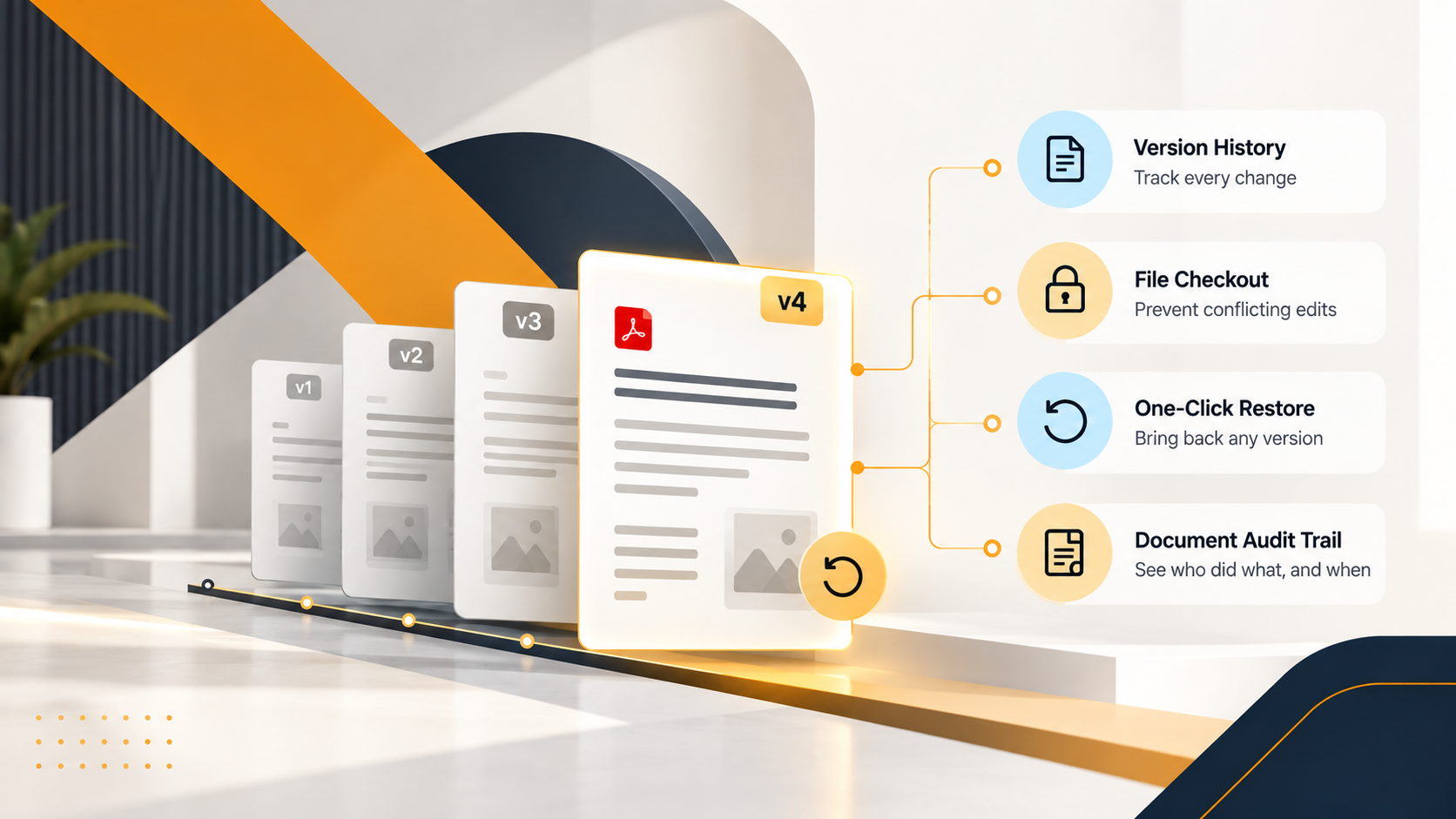
NetSuite's File Cabinet tracks files, but not their history. There's no file locking, no document-level audit trail, and its version setting has to be turned on folder by folder, so an overwritten vendor bill or the wrong contract version reaching a client is a routine risk rather than a rare mistake. SkyDoc closes that gap with automatic version history, file checkout to prevent conflicting edits, one-click restore, and a document-level audit trail, all inside the NetSuite record teams already work from.
Quick Takes:
Anyone who has sent the wrong version of a contract to a client, or discovered mid-audit that a vendor bill had been overwritten without a trace, understands the cost of inadequate document version control in NetSuite. It's a recurring operational problem for teams that rely on the File Cabinet as one of their primary document management services inside NetSuite.
The File Cabinet stores files. What it does not do is track them with any meaningful rigor. When a new version of a document is uploaded, the old one is gone. For teams handling compliance documentation, financial records, or any file that changes hands more than once, that's a structural gap and one that grows more expensive as document volumes scale.
Version control is often described as a feature. In practice, it's a discipline, and a good system enforces that discipline automatically, without relying on individual users to name files correctly or remember to archive prior drafts.
Effective document version control covers four things: version history, a document-level audit trail, file locking during edits, and one-click restore.
When any one of these is missing, the others lose their value. A version history without restore is just a log. File locking without an audit trail tells you a file was locked, but not why or by whom.
NetSuite's File Cabinet, as a document management service, addresses none of these four requirements in a meaningful way.
NetSuite does have a version control setting. When enabled, it assigns version numbers to updated files and retains prior versions in the File Cabinet. In theory, this covers the basics.
In practice, several limitations make it unreliable for organizations with real compliance or governance needs:
In environments where multiple teams manage documents across many folders, this creates inconsistency. Some folders track versions, but some do not. There's no systematic way to enforce uniformity across folders, and versioning is off by default.
Accessing version history requires navigating away from the record the document is attached to. For a team reviewing documents in context (an accounts payable clerk checking a vendor bill, say), that breaks the workflow rather than supporting it.
In NetSuite, two users can edit and upload their own versions of the same document at the same time. The issue arises when both save their changes. One version overwrites the other with no warning and no recovery path.
NetSuite logs system-level activity, but it does not provide a document-level change history: the record of who uploaded each version, what changed between them, and why.
For organizations in manufacturing, professional services, healthcare, construction, or finance, anywhere document accuracy is tied to compliance, these gaps are not acceptable at scale.
SkyDoc, Tvarana's native NetSuite SuiteApp, addresses document version control in NetSuite directly. It uses features specifically for teams that need structured version management as part of their daily workflow, not as an afterthought.
Every time a document is updated in SkyDoc, a new version is created and stored automatically. No manual setup per folder. No relying on individuals to save copies before uploading. The system handles it, and the full version history is visible directly within the NetSuite record the document is attached to, no separate navigation required.
This means a finance team reviewing a vendor bill can see every version of the attached invoice without leaving the record. A contracts manager can review the evolution of a supplier agreement from first draft to signed copy in a single view.
SkyDoc's checkout feature works like a library system. When a user checks out a document to edit it, the file is locked against modifications by anyone else. Other users can still view the current version, but they cannot upload a competing revision until the file is checked back in.
This eliminates the most common source of version conflict in collaborative environments: two people editing the same file simultaneously, each unaware that the other is working on it. The result is one clean version history instead of a branched, irreconcilable mess of competing drafts.
The checkout status is visible to all users who have access to the document, so teams always know when a file is in active use and who has it.
When a document needs to be rolled back because an error was introduced, a change was made prematurely, or a prior version is needed for reference, SkyDoc allows any prior version to be restored with a single action. The restored version becomes the new current version, and the history is updated to reflect the restore event, including who initiated it.
This is the capability that transforms version history from a passive log into an active operational tool. Without restore, version history tells you what happened. With restore, it gives you a way to fix it.
Every action taken on a document in SkyDoc (upload, checkout, check-in, version restore, preview, share) is logged against the document itself. The audit trail shows who did what and when, in a format that supports compliance reviews and internal accountability.
For teams subject to SOX, ISO, or other audit requirements, this document-level trail is distinct from NetSuite's system-level logs and provides the granular evidence that auditors and quality managers actually need. Regimes like FDA 21 CFR Part 11 treat exactly this kind of trail who changed an electronic record, when, and what state it was in at each step, as a baseline requirement, not an optional extra.
Document version control in NetSuite is relevant across functions, but the teams with the most immediate exposure to version-related failures tend to be:
Document version control in NetSuite is one of those capabilities that feels optional until it isn't. The File Cabinet's limitations: no file locking, no restore, no document-level audit trail, and inconsistent versioning behavior are manageable at low document volumes. At scale, in regulated industries, or in any environment where document accuracy is tied to compliance, they become a liability.
SkyDoc by Tvarana brings structured, automatic version control into NetSuite as part of its cloud-based document management services, with version history, file checkout, restore, and audit trails built into the same interface where teams already work. No separate platform, no workarounds, no version conflicts left unresolved.
If your team is managing documents in NetSuite and version control is a current or growing concern, Tvarana's team is available to walk you through how SkyDoc handles it in your specific environment.



Tvarana is an award-winning
Oracle NetSuite Consulting Firm
and an SDN partner.
info@tvarana.com