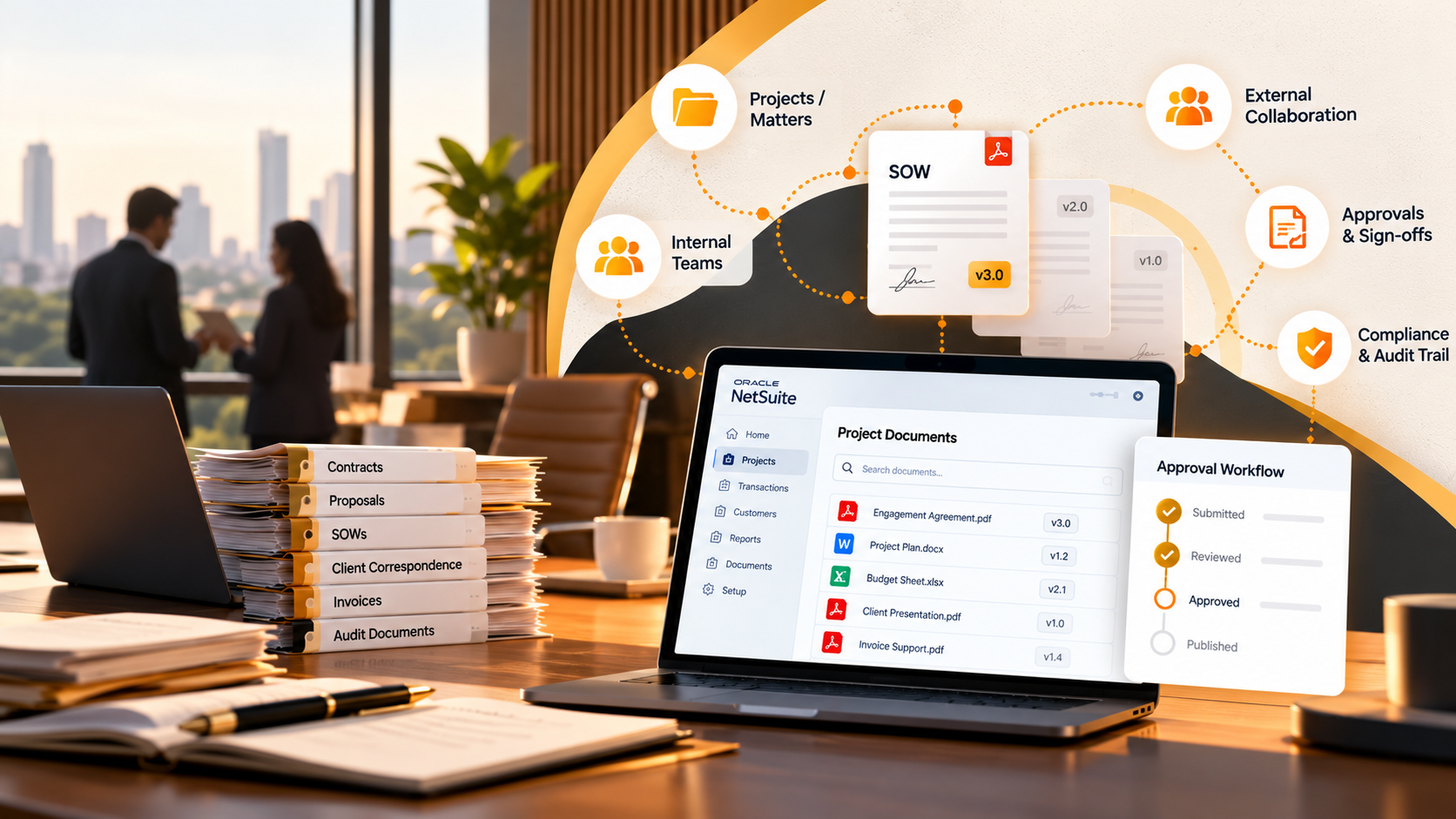
NetSuite Document Management For Professional Services: How Legal And Consulting Firms Stay Compliant
October 21, 2026
NetSuite Document Management For Professional Services: How Legal And Consulting Firms Stay Compliant
Summary:
Professional services firms rarely have a pure storage problem. Often the issue is knowing which file version is the latest, what engagement it belongs to, who approved it, and whether finance or an auditor can find the same trail later. A NetSuite-connected DMS setup keeps files tied to the records and workflows that use them, with version control, approvals, external access, and scalable storage. With the right document management solution, teams get a clear file trail, fewer handoff gaps, and more reliable support for delivery, billing, and audits.
Key Takeaways:
Keep client files connected to the NetSuite records and workflows that actually use them.
Matters can be represented through projects, cases, or custom records depending on how NetSuite is configured.
File Cabinet covers basic storage and attachments, but versioning and external workflows need further capability.
Professional services firms usually don’t have a shortage of file storage. They have a context problem. A contract may be stored correctly but disconnected from the client record, or finance may be waiting for an approval that supports billing. So even though nothing is technically “missing”, the problem is that nobody has the whole trail in one place.
For NetSuite users, files need to stay connected to projects, transactions, billing records, or custom matter records. In this article, we’ll explain how professional services firms can use cloud-based document management software to build structured and audit-ready document workflows.
Professional Services Document Management Needs
The first issue most firms run into is file sprawl. Client documents end up across inboxes, local drives, shared folders, and separate storage tools. The more engagements a firm manages at once, the harder it becomes to know where the approved copy lives. This manual search slows down project delivery and client responses.
Beyond search difficulties, sharing files through disconnected systems can often scatter important documents across email attachments, creating duplicate records and weak traceability. Once those files scatter across NetSuite attachments, basic questions get surprisingly hard:
Is this the final version?
Who approved it?
Which client or project does it belong to?
Does finance need it before billing?
Can the client upload a replacement without getting full NetSuite access?
If someone asks six months from now, can we show what happened?
Good document management platforms for legal firms make the answers to these questions obvious. They can act as a central location for tracking and managing digital files securely.
Professional Services Document Types And Uses
Professional firms generate highly sensitive paperwork every day, and their teams need reliable access to project materials to maintain their delivery commitments. Cloud-based document management systems for legal firms help manage these complex records within a unified system.
Legal firms need one extra layer of care here. Because “matter” is not a standard NetSuite record, a firm may represent matters through projects, cases, customers, and custom records or configurations.
Similarly, consulting firms map documents to projects, deliverables, and billing milestones, giving consulting leaders visibility when their teams store proposal files and client approvals in a consistent location.
Customer, project, or configured contract/matter record
Statements Of Work
Deliverables, timelines, milestones, and billing terms
Customer, project, estimate, or sales order
Consulting Deliverables
Review cycles and final client delivery
Project, project task, or customer record
Invoices And Billing Support
Milestone billing and client review
Invoice, sales order, project, and related billing workflow
Compliance Evidence
Internal reviews, client requests, and audits
Custom records, controlled folders, or audit-related project records
Client Approvals
Acceptance and sign-off
Project, transaction, or configured approval workflow
Vendor Or Subcontractor Files
Outsourced delivery and purchasing
Vendor, purchase order, vendor bill, or project record
Compliance-Focused Document Management Platforms
Compliance is where weak document structure becomes much harder to ignore. For a professional services firm, this often comes down to a few uncomfortable questions:
Who had access?
Which version was approved?
Was client sign-off captured?
Compliance-focused document management platforms should help answer those questions without creating another administrative burden. Look for features like:
Approval history for client sign-off
Version control for contracts, statements of work, and deliverables
Access rules for internal and external users
Audit history showing document activity
A clear way to keep supporting files with the relevant client or project workflow
Cloud based document management software can support those controls, but configuration matters as much as the feature list. For example, version history does not help if employees keep saving the “real” copy elsewhere. The goal is simple: when someone asks for the current document and its history, the answer should be consistent across the entire system, not depend on who happens to be online.
NetSuite Features For Professional Services
NetSuite already gives professional services firms much of the operating structure around the work. Customers, projects, project tasks, estimates, sales orders, invoices, purchase transactions, and billing activity all give documents somewhere useful to attach. So for straightforward needs, File Cabinet may be enough.
The trouble starts when the document itself needs more control. If a contract needs preserved version history or a deliverable needs a formal approval trail, basic attachment storage starts to feel like only part of the solution. Version history, approval routing, folder hierarchy, external access, and growing storage requirements can all push teams beyond basic attachment workflows.
Document management platforms for legal firms need these features to maintain operational efficiency. If your current workflow depends on manual workarounds, the process is creating unnecessary overhead.
SkyDoc Document Management Features For Professional Services
SkyDoc is a native NetSuite SuiteApp that can give professional services firms a record-linked document management layer for NetSuite workflows. It helps reduce storage constraints by using scalable Amazon S3-backed storage, so you only pay for the storage space you actually use. Beyond optimizations at the storage level, SkyDoc also provides several tools to help professional services teams manage digital records:
Folder Hierarchy: Give selected clients, auditors, vendors, or other outside users controlled access to upload, view, or approve files without full NetSuite access. That removes the download-email-reattach loop.
External Portal: Give selected clients, auditors, or external contacts controlled portal access to upload or approve files without full NetSuite access.
Versioning and Checkout: Manage contracts and deliverables with controlled versioning and file checkout. Keep earlier versions of contracts and deliverables, and use file checkout when teams need to prevent overlapping edits.
Approval Workflows: Route documents through defined internal or external review paths so the approval stays with the file instead of disappearing into email.
DocuSign Integration: Send engagement documents and contracts for digital signatures through a direct DocuSign connection.
Record-Level Access: Connect files to NetSuite projects, invoices, transactions, and other relevant records to maintain visibility during the billing process.
File Management Tools: Preview documents, generate QR codes, and move files across transactions to maintain a clear digital trail.
Final Thoughts On Choosing A Document Management Platform
If your team is already managing client work in NetSuite, your document setup should make that work easier, not send people searching through inboxes and shared folders for context. You should be able to see the right version, the right approval, and the right client or billing record without piecing the history together manually. Before choosing a platform, make sure you compare and confirm important features for your needs.
That’s where SkyDoc can help you structure those document workflows inside NetSuite so approvals, versioning, storage, and external access all stay connected. With folder hierarchy and scalable storage, your teams can deliver value in a more organized document environment. Contact Tvarana to assess your current NetSuite document workflows and identify where SkyDoc can reduce file sprawl.
You’ll want more than just a place to store files. Look for client-level folders, clear version control, approval workflows, and secure ways to share documents outside your firm. Good legal document management platforms should also give you a reliable audit trail and let users access files directly from the NetSuite records they relate to.
Consulting firms need document management inside NetSuite because often proposals, statements of work, deliverables, approvals, and invoices all support the same client engagement. Keeping those documents connected inside NetSuite makes it much easier to see what has been approved, what has been delivered, and what can be billed without chasing files across different systems.
Compliance-focused document management platforms give professional firms a clearer record of who accessed a file, which version was approved, and what changed over time. They also help control who can see sensitive client information and create the audit trail needed during internal reviews or compliance checks.
For every client file, you should be able to answer a few basic questions quickly: Which client or engagement does this belong to? Is this the approved version? Who has access to it? And what approval, billing, or delivery workflow depends on it?
Connecting client files to the right project or engagement keeps deliverables, approvals, billing records, and review history in the same context instead of leaving your team to piece everything together from separate folders.
Clear context helps your team avoid using the wrong version, sharing a document with the wrong person, or missing an approval step. When you can see the file’s version, access rights, and related workflow in one place, there’s much less room for mistakes around confidential client work.
SkyDoc helps you build a more structured document setup inside NetSuite. You can organize files by client, matter, engagement, or project, keep them linked to the right NetSuite records, manage approvals and version history, and give selected external users secure access when they need to upload or review documents.